
The manual explains how to install, use, set up, and safely operate the Canon RF85mm F2 Macro IS STM lens, including specifications.
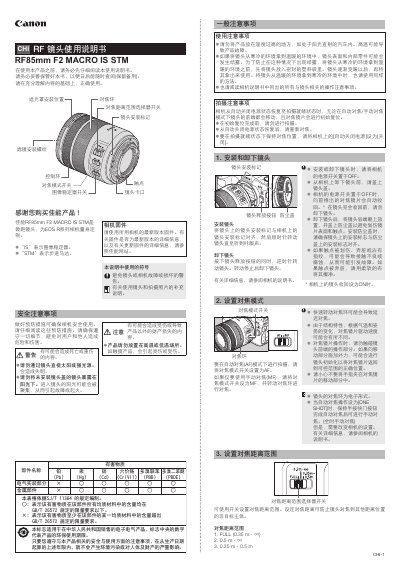
The Canon RF85mm F2 Macro IS STM is a macro lens designed for EOS R series cameras, featuring image stabilization (IS) and a stepping motor (STM) for smooth focusing. This guide covers safety precautions, mounting, focus controls, image stabilizer operation, and macro shooting techniques.
Key sections include safety warnings, lens mounting and removal, focus mode selection, control ring functions, image stabilizer usage, exposure settings for macro photography, and detailed specifications such as focal length, aperture range, and physical dimensions. This manual is written in Chinese.
| Focal length / aperture | 85mm f/2 |
|---|---|
| Maximum aperture | f/2 |
| Minimum aperture | f/29 |
| Angle of view (horizontal) | 24° |
| Angle of view (diagonal) | 28°30′ |
| Minimum focusing distance | 0.35 m |
| Maximum magnification | 0.5× |
| Filter diameter | 67 mm |
| Maximum diameter × length | ≈78 mm × 90.5 mm |
| Weight | ≈500 g |
Align the lens mount mark with the camera’s mount mark, then rotate the lens clockwise until you hear a click.
The minimum focusing distance is 0.35 m.