
The Canon EF‑EOS M Lens Mount Adapter User Manual explains how to mount, detach, and safely use the adapter with EF lenses and EOS M cameras.
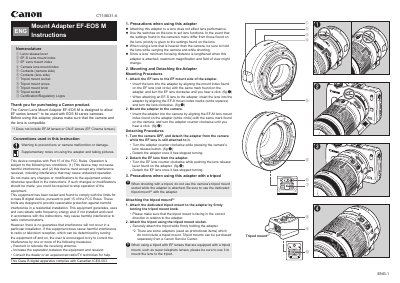
This manual provides step‑by‑step instructions for attaching and removing the Canon EF‑EOS M Lens Mount Adapter, which enables EF series lenses to be used on EOS M mirrorless cameras. It also covers safety precautions, tripod mounting, and technical specifications.
Key sections include a nomenclature diagram, detailed mounting and detaching procedures, precautions for lens handling and tripod use, and a specifications table that lists compatible lenses, camera models, dimensions, and accessories.
| Compatible lenses | EF series lenses |
|---|---|
| Compatible cameras | EOS M series cameras |
| Front mount | Canon EF mount compliant |
| Rear mount | Canon EF‑M mount compliant |
| Tripod socket | CU1/4 x 1 |
| Maximum diameter and length | 66.6 mm × 26 mm |
| Weight | Approx. 110 g |
| Front cap | Camera Cover |
| Rear cap | Lens Dust Cap |
| Lens case (optional) | LP811 |
Insert the lens into the adapter, align the mount index, and turn the EF lens clockwise until you hear a click.
No, you must use the dedicated tripod mount that comes with the adapter instead of the camera’s tripod socket.
The adapter works with EF series lenses; EF‑M and CN‑E lenses are not supported.