
This document is the setup guide for HP Deskjet D1500 series printer, covering the printer's features, installation steps, usage tips, etc.
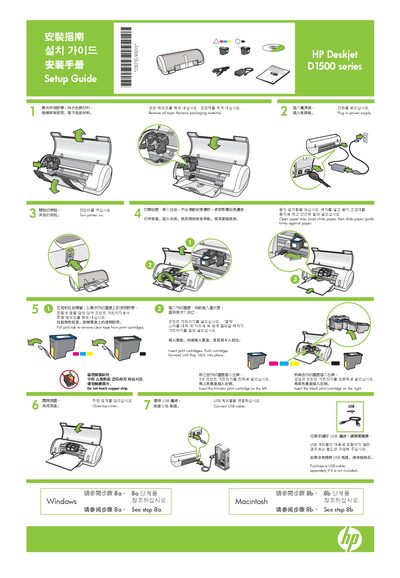
The guide begins with unpacking instructions, removal of tape and packaging, and shows how to insert the tri‑color cartridge on the left and the black cartridge on the right. It also explains how to plug in the power supply, open the paper tray, load paper and close the top cover.\n\nNext, it details connecting the USB cable, purchasing one if not supplied, and installing the printer software. Separate procedures are provided for Windows and Macintosh operating systems, including CD insertion, wizard navigation, and troubleshooting steps if installation fails.
| Supported operating systems | Windows, Macintosh |
|---|---|
| Connection type | USB |
| Power requirement | Plug in power supply |