
CASIO watch user manual, introduces the functions and characteristics of the watch and how to use it
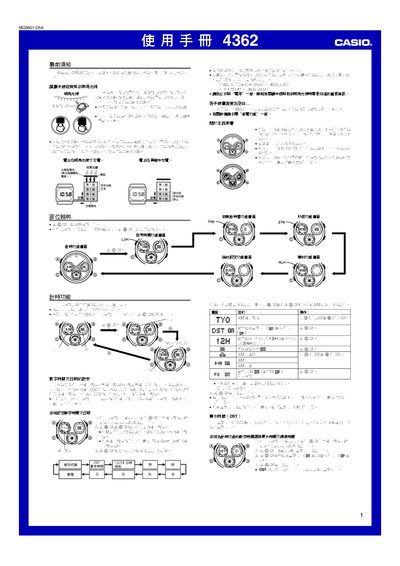
This manual provides detailed instructions for using the Casio 4362 1MO0601‑ChA solar‑powered watch. It covers how to keep the built‑in rechargeable battery charged by exposing the watch to bright light, and describes the various functions such as timekeeping, world time, alarm, countdown timer, stopwatch, lighting and power‑saving mode.
The guide also explains how to set the digital time, date, city codes, daylight‑saving time, and how to adjust the analog hands to match the digital display. Additional sections describe button operation sounds, automatic return to the main screen, and safety warnings for charging and battery handling. This manual is written in Chinese.
| Charging time (indoor fluorescent) | ≈ 50 minutes |
|---|---|
| Charging time (sunlight through window) | ≈ 5 minutes |
| Display modes | White‑background black text and black‑background white text |
| Illumination | LED with light guide panel |
Place the watch where its face receives bright light; indoor fluorescent lighting takes about 50 minutes, while sunlight through a window takes about 5 minutes.
In the timing screen, press and hold the A button until the city code starts flashing, then use the B/D buttons to select the city code and adjust the time and date.
From the timing screen, press the C button nine times to open the power‑saving menu, then use the D button to turn the function on or off.