
This document is an instruction manual for Manual 2785 1 MA0501-CkA. The manual describes various functions and operations of the product, including alarm mode, countdown timer mode, stopwatch mode, and timer mode. It also provides instructions on how to set the digital time and date, as well as how to set daylight saving time. The manual also mentions the e-DATA MEMORY mode, which is used to store electronic mail addresses, website addresses, and other text data.
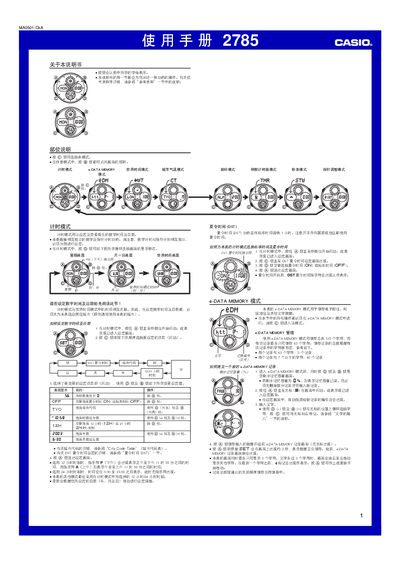
This manual explains how to operate the Casio 2785 watch. It covers the basic timing mode, world‑time mode, city‑temperature mode, alarm functions, countdown timer, hand‑adjustment mode, and the e‑DATA MEMORY for storing text and web addresses. Detailed button sequences are given for each mode, along with notes on daylight‑saving time and automatic display features.
Advanced sections describe how to manage e‑DATA MEMORY records, use the city code table, configure the EL backlight, and understand the automatic calendar and leap‑year handling. The document also includes a character list and a city‑code table for quick reference. This manual is written in Chinese.
| Stopwatch display limit | 59 min 59.99 sec |
|---|---|
| Year setting range | 2000–2039 |
| Backlight type | EL (electroluminescent) panel |
| e‑DATA MEMORY total capacity | 315 characters total |
| Maximum characters per record | 63 characters |
The e‑DATA MEMORY can hold a total of 315 characters, with each record able to store up to 63 characters.