
TP SBP-311S is a new type of hole paper ticket printer, which adopts 9-pin column dot matrix printing, supports ESC/POS printing commands, FS Chinese printing commands and GS under-mounted graphic data commands, and has GB1 and GB2 Chinese character libraries. Users can customize characters.
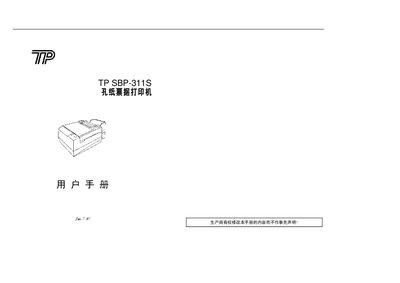
The TP SBP-311S is a hole‑paper receipt printer that uses a 9‑pin dot matrix and supports both parallel (SBP-311SP) and serial (SBP-311SS) interfaces, as well as a cash‑drawer connection. It is intended for banking terminals, fee‑collection systems, restaurants and other point‑of‑sale applications.
The manual covers hardware layout, DIP‑switch configuration, paper and ribbon installation, serial and parallel interface wiring, command set, and reliability specifications. It also includes a command reference table in the appendix. This manual is written in Chinese.
| Print resolution (5×7 dots) | 1.75 × 2.35 mm, 23 columns/row |
|---|---|
| Print speed | ≈3.3 lines/second (bidirectional) |
| Power supply | 24 VDC ±10%, 2 A |
| Operating temperature | 5‑40 °C (operation), -10‑50 °C (storage) |
| Operating humidity | 30‑85 % (operation), 30‑90 % (storage) |
| Reliability (MCBF) | 2.5 million lines |
| Lifetime (MCL) | 4 million lines |
| Dimensions (W×D×H) | 138 mm × 214 mm × 118 mm |
| Effective print width | 56 mm |
| Paper thickness (single layer) | 0.085‑0.1 mm |
| Maximum multi‑layer paper thickness | ≤0.25 mm |
| Ribbon type | ERC‑39(P) |
It supports ordinary perforated paper, pressure‑sensitive perforated paper, and carbon‑copy perforated paper.
Open the top cover, pull the ribbon straight as indicated, insert the ribbon cartridge vertically into the print head, tighten the ribbon, and close the cover.
The factory defaults are 9600 bps, 8 data bits, no parity, 1 stop bit, with XON/XOFF and CTS/RTS handshaking.
Single‑layer paper may be up to 0.1 mm thick, and multi‑layer paper up to 0.25 mm total thickness.