
This manual introduces how to use AZ1830, including power supply, radio reception, CD playback and USB device playback.
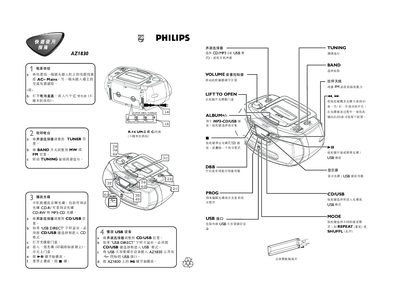
This quick guide covers the basic operation of the AZ1830 computer audio system. It explains how to connect the power supply, either by plugging into an AC outlet or by inserting six C‑type batteries, and how to use the volume control.
The manual also describes how to select and use the radio tuner, play audio CDs (including CD‑R, CD‑RW and MP3‑CD), and operate the USB playback mode. Additional functions such as bass boost, repeat/shuffle modes, and track navigation are briefly outlined. This manual is written in Chinese.
| Battery type | C‑cell (six) |
|---|---|
| USB interface | Standard USB connector for external storage devices |