
The Dell Inspiron 3252 Quick Start Guide provides instructions on how to connect the keyboard and mouse, connect the network cable, connect the power adapter and press the power button, connect the display, and finish operating system setup.
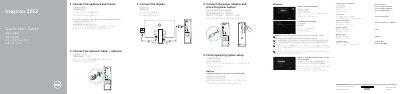
This Quick Start Guide walks new owners of the Dell Inspiron 3252 through the first steps of setting up the computer: connecting the keyboard and mouse, display, optional network cable, and power adapter, then pressing the power button. It also covers finishing the operating system setup for Windows or Ubuntu, enabling security and updates, connecting to a network, and signing in to a Microsoft account or creating a local account.
The guide points to Dell support resources at dell.com/support and lists the preinstalled Dell apps, including SupportAssist for checking and updating the computer, Dell Backup and Recovery, and Help and Tips. A labeled features diagram identifies the computer's ports and components, such as the optical drive, media-card reader, USB 3.0 and USB 2.0 ports, VGA and HDMI ports, audio ports, and network port. The regulatory model is D14S (regulatory type D14S001).
| USB 3.0 ports | 2 |
|---|---|
| USB 2.0 ports | 4 |
| Audio ports | 3 |
| Video ports | VGA port, HDMI port |
| Optical drive | Included |
| Media-card reader | Included |
Enter the password for the wireless network access when prompted.
Dell lists product support and manuals at dell.com/support and dell.com/support/manuals.