
Dell Latitude 15 5000 Series Laptop Quick Start Guide
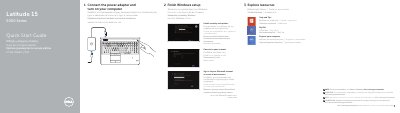
This Quick Start Guide from Dell walks new owners of the Latitude 15 5000 Series laptop through the first steps: connecting the power adapter and turning on the computer, finishing Windows setup, enabling security and updates, connecting to a network, and signing in to a Microsoft account or creating a local account. It also points to Help and Tips, the My Dell application, and computer registration, and refers readers to the Owner's Manual at dell.com/support/manuals.
The second page identifies the laptop's features, including network, VGA, HDMI and USB 3.0 connectors, a USB 3.0 port with PowerShare, camera, microphones, touchpad, speakers, memory-card reader, optional smart-card, contactless smart-card and fingerprint readers, and various status lights. The document lists the regulatory model P37F (type P37F001), the computer model Latitude 15-E5550/5550, and support links such as dell.com/support and dell.com/regulatory_compliance.
| Ports | Network, VGA, HDMI, USB 3.0 (incl. PowerShare), headset, power |
|---|---|
| Optional components | Microphones, contactless smart-card reader, fingerprint reader, smart-card reader, dock connector |
The guide directs users to the Owner's Manual at dell.com/support/manuals for more information.
The guide lists computer registration under the Explore resources section, together with Help and Tips and the My Dell application.