
The Dell XPS 13 laptop quick start guide includes steps such as connecting the power adapter, pressing the power button, and setting up Windows.
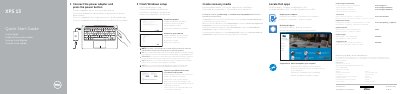
This is the printed Quick Start Guide for the Dell XPS 13 2 laptop (computer model XPS 9343, regulatory model P54G). The same short instructions are repeated in several languages: connect the power adapter and press the power button, finish the Windows setup, enable Dell updates, connect to your network, and sign in to your Microsoft account or create a local account.
The guide also covers registering your computer, locating Dell apps, SupportAssist checks and updates, creating recovery media from Windows search, product support and contact web addresses, and regulatory compliance. A second page lists the computer's features with numbered callouts and the shortcut keys for audio, display, brightness, keyboard backlight, Fn-key lock and wireless.
| Power adapter input voltage | 100 V AC–240 V AC |
|---|---|
| Input frequency | 50 Hz–60 Hz |
| Input current | 1.30 A |
| Output voltage | 19.50 V DC |
| Output current | 2.31 A |
| Regulatory model | P54G |
| Computer model | XPS 9343 |
| Country of origin | Made in China |
In Windows search, type Recovery, click Create a recovery media, and follow the instructions on the screen.
Enter the password for the wireless network access when prompted.
The guide refers you to the Specifications section at dell.com/support.