
Dell Precision Mobile Workstation 7000 Series Quick Start Guide
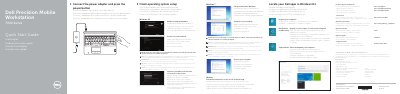
This Quick Start Guide walks new owners of the Dell Precision Mobile Workstation 7000 Series through the first steps: connecting the power adapter and pressing the power button, finishing operating system setup for Windows 8.1, Windows 7 or Ubuntu, enabling security and updates, connecting to a network, and signing in to a Microsoft account or creating a local account.
The guide also identifies the computer as the Dell Precision 7510 (regulatory model P53F) and includes a numbered features diagram listing 25 ports, controls and indicators such as USB 3.0 connectors, Mini DisplayPort, HDMI, optional USB-C, smartcard and fingerprint readers, plus links to Dell support, manuals and regulatory compliance pages.
| Input voltage | 100 VAC–240 VAC |
|---|---|
| Input current (maximum) | 2.34 A / 2.5 A |
| Input frequency | 50 Hz–60 Hz |
| Output voltage | 19.5 VDC |
| Output current | 9.23 A |
Connect the power adapter and press the power button, then finish the operating system setup.
Enter the password for the wireless network access when prompted.
See the Owner's Manual at dell.com/support/manuals.