
OptiPlex 7440 All-in-One Quick Start Guide
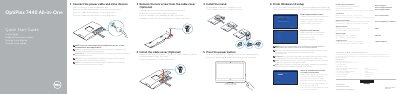
This guide provides setup steps for the Dell OptiPlex 7440 All-in-One, including connecting the power cable and other devices, removing and installing the cable cover, installing the stand, pressing the power button, finishing Windows 10 setup, enabling support and protection, connecting to a network, and signing in to a Microsoft account or creating a local account.
It also identifies the computer's features and ports, lists Dell apps and registration options, and provides regulatory and safety information, including NOM importer details and electrical input and output ratings.
| Input voltage | 100 V AC-240 V AC |
|---|---|
| Input current (maximum) | 3.0 A |
| Input frequency | 50 Hz-60 Hz |
| Output current | 11.5 A / 15.2 A |
| Output voltage | 12.0 V DC |
See the documentation that shipped with the wireless keyboard or mouse.
Enter the password for the wireless network access when prompted.
See the Owner's Manual at dell.com/support.