
Quick Start Guide for Dell Laptop
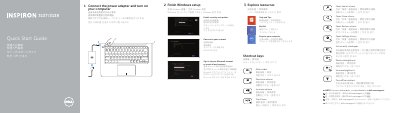
This two-page quick start guide from Dell covers the initial setup of the Inspiron 3137/3138 computer. It shows how to connect the power adapter and turn on the computer, then how to finish Windows setup by connecting to a network, enabling security and updates, and signing in with a Microsoft account or creating a local account.
The guide also lists keyboard shortcut keys for audio, media playback, charms and brightness, and provides a labeled illustration of the computer's features, including the camera, digital microphones, security-cable slot, network port, USB 2.0 and USB 3.0 ports, media-card reader, headset port, HDMI port, power-adapter port and power button. Support, manual, contact and regulatory links are given at the end. The document is printed in multiple languages and carries a 2013 copyright.
| Computer model | Inspiron 3137/3138 |
|---|---|
| Regulatory model and type | P19T (P19T001/P19T003) |
| USB ports | One USB 3.0 port and two USB 2.0 ports |
| Video port | HDMI port |
| Camera | Camera with camera-status light and two digital microphones |
| Media card reader | Media-card reader |
| Security | Security-cable slot |
| Audio port | Headset port |
The guide points to dell.com/support for specifications and to dell.com/support/manuals for product support and manuals.
Connect to your network, enable security and updates, then sign in to your Microsoft account or create a local account.
Regulatory and safety information is available at dell.com/regulatory_compliance.