
The Dell Display Manager User Guide introduces the Dell Display Manager as a Windows application used to manage one or more monitors.
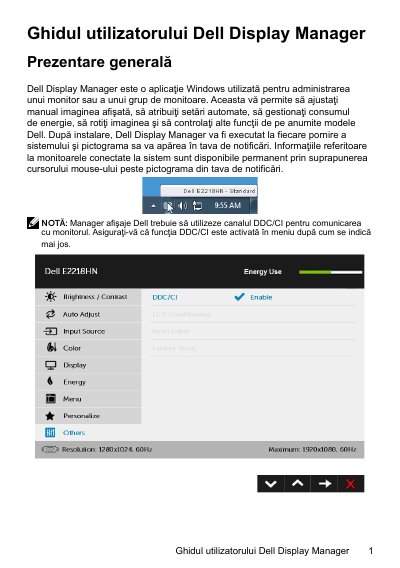
Dell Display Manager is a Windows application for managing one monitor or a group of monitors. It lets users manually adjust the displayed image, assign automatic settings, manage power consumption, rotate the image, and control other functions on certain Dell models. After installation it runs at each system startup and places an icon in the notification area. It communicates with the monitor through DDC/CI, which must be enabled in the monitor menu.
The Quick Settings dialog provides brightness and contrast adjustment, preset mode selection, Auto Mode, and screen resolution changes. The Basic tab applies a preset mode manually or enables Auto Mode; the Auto Mode tab assigns preset modes to applications; the Input Manager tab manages multiple video inputs; and the Options tab on certain Dell models provides PowerNap power-saving settings. Troubleshooting notes that the application works only with Dell monitors and lists connection, DDC/CI, display driver, dock or adapter, and restart checks.
| Operating system | Windows |
|---|---|
| Monitor communication | DDC/CI |
| Supported monitors | Dell monitors only |
It is a Windows application used to manage one monitor or a group of monitors.
It uses DDC/CI, and DDC/CI must be enabled in the monitor menu.
It works only with Dell monitors.