
The Dell Quick Start Guide provides information on the model, voltage, and current of the Dell computer.
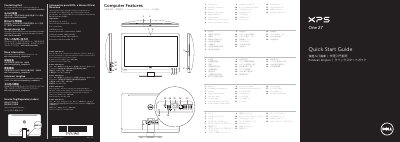
This Quick Start Guide from Dell covers the XPS One 2710 computer (regulatory model W06C, type W06C001). It lists the computer's features and controls — microphone, camera and camera-cover latch, optical drive slot, power button, brightness and input source controls, 8-in-1 media-card reader, USB 3.0, audio, S/P DIF, HDMI-in and HDMI-out ports, network port, power port and security-cable slot — and shows where the service tag and regulatory labels are located.
The guide then walks through setup: setting up the wireless keyboard and mouse, connecting the power cable, connecting the network cable (optional), pressing the power button, completing Windows setup, enabling security and configuring wireless (optional). It also gives short Windows 8 getting-started tips, points to My Dell Support Center, and lists how to contact Dell and where to find regulatory and safety information.
| Computer model | XPS One 2710 |
|---|---|
| Regulatory model | W06C |
| Type | W06C001 |
| Input voltage | 100 to 240 VAC |
| Input frequency | 50 Hz to 60 Hz |
| Nominal output current | 3.6 A |
| USB 3.0 ports | 2 + 4 |
| Media-card reader | 8-in-1 |
Go to dell.com/ContactDell.
Dell points readers to dell.com/regulatory_compliance.
In the documentation that shipped with the wireless keyboard and mouse.
Swipe or scroll to access more tiles; swiping works only on touch-screen displays.