
The Cisco DX70 and DX80 Quick Reference Guide provides information on how to use the Cisco DX70 and DX80.
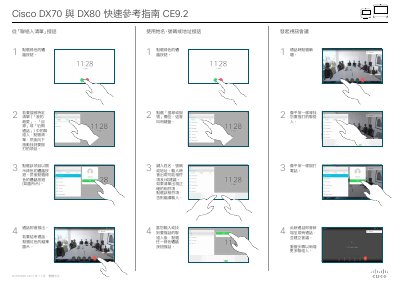
Cisco DX70 and DX80 Quick Reference Guide covers call handling and collaboration features in Traditional Chinese. It explains dialing by name, number, or address; calling from a contact list; starting a video conference; and transferring an active call.
The guide also covers call transfer, Proximity, and Do Not Disturb. It describes using the device as a PC monitor over HDMI, connecting a headset, and sharing content during a call or through Proximity. This manual is written in Chinese.
| DX70 headset connection | Standard mini-jack plug |
|---|---|
| DX80 headset connection | USB wired audio device using a standard protocol |
| Headset connector location | Right side of the device on both models |
| Bluetooth support | Both models accept Bluetooth devices, with or without a dongle |
| PC input | HDMI connector labeled PC |
| PC display switching | Tap the screen to switch between PC and video |
During a call, tap Add, find the contact as usual, and place the call as usual; the new call is added to the existing call and creates a conference.
Connect the computer to the HDMI slot labeled PC with an HDMI cable, then tap the screen to switch between the PC display and the video.
The DX70 accepts a headset with a standard mini-jack plug; the DX80 requires a USB wired audio device that runs a standard protocol.
On the PC, set Proximity to on to share content with other participants.