
The Dell 5230/5350 Quick Guide provides instructions on how to load paper and special media.
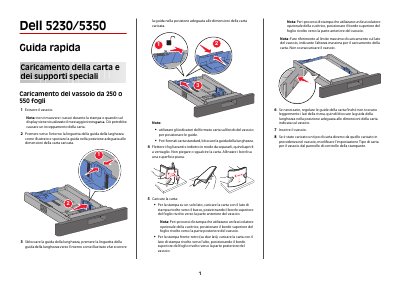
This Dell 5230/5350 quick guide explains how to load paper and specialty media into the 250-sheet or 550-sheet tray, including guide adjustment, simplex and duplex paper orientation, and changing the paper type setting.
It also provides jam removal procedures for paper jams at locations 200-201, 202-203, and 241-245, with steps for opening the multipurpose feeder and front cover, handling the toner cartridge, and clearing paper from the trays and rear covers. This manual is written in Italian.
| Tray capacity options | 250 or 550 sheets |
|---|---|
| Paper loading options | Single-sided and duplex (two-sided) printing |
Load the paper with the print side facing down and the top edge toward the front of the tray. When using an optional finisher, point the top edge toward the back of the tray.
Load the paper with the print side facing up and the top edge toward the back of the tray. When using an optional finisher, point the top edge toward the front of the tray.
Remove the paper through the rear door.
Change the paper type setting for the tray from the printer control panel.