
Dell Display Manager is a Microsoft Windows application used to manage a monitor or a group of monitors. It allows manual adjustment of the displayed image, assignment of automatic settings, energy management, window organization, image rotation, and other features on select Dell monitors.
Dell Display Manager is a Microsoft Windows application used to manage a monitor or a group of monitors. It allows manual adjustment of the displayed image, assignment of automatic settings, energy management, window organization, image rotation, and other features on select Dell monitors. Once installed, it runs each time the system starts and places its icon in the notification tray.
This guide describes the Quick Settings dialog for adjusting brightness, contrast, resolution and window layout, the Basic tab for preset modes and Brightness/Contrast, the Auto Mode tab for assigning preset modes to applications, the Easy Arrange tab for arranging open windows in predefined or custom layouts, and the Options tab with PowerNap energy conservation settings on supported Dell models.
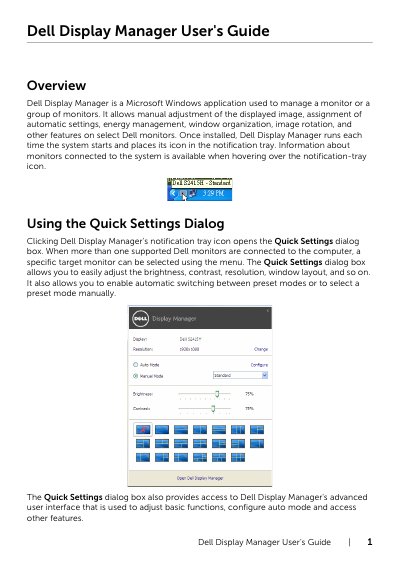
Click Dell Display Manager's notification tray icon to open the Quick Settings dialog box, where you can adjust brightness, contrast, resolution and window layout.
On the Auto Mode tab, associate a specific Preset Mode with a specific application; you can also drag an application from the desktop or Start Menu onto the assignment list.
On supported Dell models, the Options tab provides PowerNap energy conservation options: set the monitor's brightness to the minimum level or put the monitor to sleep when the screensaver is activated.
No, preset mode assignments for batch files, scripts, loaders, and non-executable files such as zip archives or packed files are not supported.