
Dell Display Manager is a Microsoft Windows application used to manage one or more monitors. It allows manual adjustment of the displayed image, assignment of automatic settings, power management, window organization, image rotation, and other functions on selected Dell monitors.
Dell Display Manager is a Microsoft Windows application used to manage a monitor or group of monitors. It allows manual image adjustment, automatic preset assignment, power management, window organization, image rotation, and other functions on selected Dell monitors. Once installed, it runs at system startup and places an icon in the notification tray.
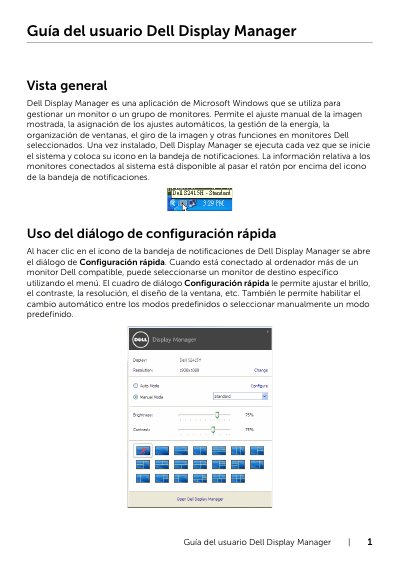
The Quick Setup dialog opens from the tray icon and lets users adjust brightness, contrast, resolution, window layout, and preset modes. The advanced interface covers basic settings, Auto Mode application presets, Easy Arrange window layouts, and PowerNap energy-saving options. This manual is written in Spanish.
It is a Microsoft Windows application used to manage a monitor or group of monitors.
Click the Dell Display Manager icon in the notification tray.
Yes, Auto Mode applies a preset mode based on the active application.
PowerNap can put the monitor in standby when the screensaver activates.