
Dell PW7018LC Notebook Power Bank Plus USB-C 65Wh Quick Start Guide

Dell PW7018LC Notebook Power Bank Plus USB-C 65Wh Quick Start Guide
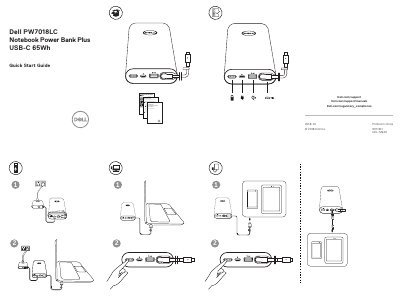

Dell PW7018LC Notebook Power Bank Plus USB-C 65Wh Quick Start Guide - cover page
Brand
DELL
Document type
Quick Start Guide
Language
English
Pages
1
File format
PDF
File size
976 KB
Published
25 November, 2023
Updated
25 November, 2023
MD5 checksum
05153AEC9ED992D4D1FB259EA5303EE1

About this manual

This guide explains how to flash the BIOS of compatible Dell laptops for optimal performance. It includes steps to download and install the latest BIOS update from Dell.com/support.

The power bank is designed for select Dell laptops. Users are directed to Dell.com to check compatibility and find supported models.

What's inside

  • Important information
  • BIOS flashing
  • Downloading BIOS
  • Installing BIOS
  • Compatibility

Frequently asked questions

What is the recommended action for best performance?

Flash the BIOS of your laptop to the latest version.

Is this power bank compatible with all Dell laptops?

No, it is compatible with select Dell laptops.

Where can I find the list of supported laptops?

Go to Dell.com and search for Dell power bank.

What is recommended for best performance with this power bank?

Flash the BIOS of your laptop to the latest version.

Download PDF (976 KB)

More DELL Manuals


View all DELL manuals →