
Dell Inspiron 15 7000 Series Laptop Quick Start Guide

Inspiron 15 7000 Series Quick Start Guide.
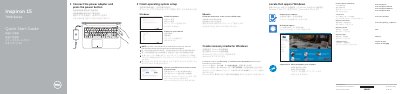

Dell Inspiron 15 7000 Series Laptop Quick Start Guide - cover page
Brand
DELL
Category
Laptops
Document type
Quick Start Guide
Language
English
Pages
2
File format
PDF
File size
802 KB
Published
25 November, 2023
Updated
25 November, 2023
MD5 checksum
77E589545AB791C686AE6440E0C1FB6A

About this manual

This Quick Start Guide provides initial setup instructions for the Dell Inspiron 15 7000 Series laptop, including connecting the power adapter, completing operating system setup for Windows or Ubuntu, enabling Dell updates, connecting to a network, and signing in to a Microsoft account or creating a local account.

The guide also illustrates the laptop's features and ports, such as USB 3.0 ports, HDMI port, headset port, media card reader, and security-cable slot, and lists shortcut keys for audio control, display switching, search, keyboard backlight, brightness, wireless toggle, and Fn-key lock.

What's inside

  • Connect the power adapter and press the power button
  • Finish operating system setup
  • Product support and manuals
  • Regulatory and safety
  • Locate Dell apps in Windows
  • Create recovery media for Windows
  • Features
  • Shortcut keys

Frequently asked questions

How do I start the Dell Inspiron 15 7000 Series laptop for the first time?

Connect the power adapter and press the power button to turn on the laptop.

How do I create a recovery media for Windows on this laptop?

In Windows search, type Recovery, click Create a recovery media, and follow the on-screen instructions.

Download PDF (802 KB)

More DELL Manuals


View all DELL manuals →