
The document describes the steps to set up a Dell computer, including connecting the monitor, keyboard and mouse, and connecting the computer and monitor to power outlets.
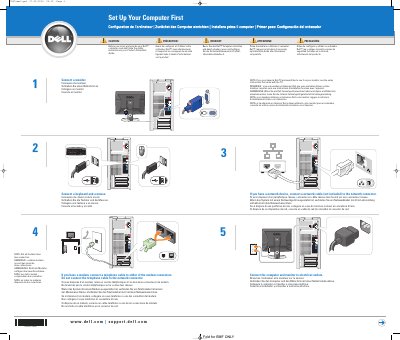
This two-page Dell setup guide walks through the first steps of setting up a Dell Dimension computer. It shows how to connect a monitor, connect a keyboard and a mouse, plug the computer and monitor into electrical outlets, and then turn both on. Instructions are printed side by side in English, French, German, Italian and Spanish.
The guide also covers optional connections: a telephone cable to one of the modem connectors (not to the network connector) and a network cable to the network connector. It notes that not all modems have two connectors, points to the TV's own setup instructions if a Dell TV is used as the monitor, and refers readers to the Owner's Manual, the Dell Support website and the Windows Help and Support section for more information.
No. If you have a modem, the telephone cable goes to either of the modem connectors, not to the network connector.
See your Owner's Manual for additional setup instructions, including how to connect a printer.
See the setup instructions that came with the TV.