
This document provides specifications and safety information for Dell laptop.
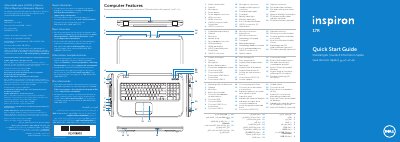
This is the multilingual quick start guide for the Dell Inspiron 5720/7720 laptop (regulatory model P15E, type P15E001). It opens with the NOM information required for Mexico, listing Dell México S.A. de C.V. as importer along with the input voltage, maximum input current and input frequency, and points readers to the safety information shipped with the computer and to dell.com/regulatory_compliance.
The guide then shows how to set up the computer: connect the power adapter, press the power button, follow Windows setup and check the wireless status. It includes a numbered callout of computer features and connectors, a list of function keys (display switching, wireless, touchpad, brightness, keyboard backlight, media and volume), and a place to record the Windows password and the Service Tag. A "More Information" section gives Dell support and contact addresses.
| Input voltage | 100–240 VAC |
|---|---|
| Input current (maximum) | 1.50 A/1.60 A/1.70 A/2.30 A/2.50 A |
| Input frequency | 50–60 Hz |
| Regulatory model | P15E |
| Type | P15E001 |
| Computer model | Inspiron 5720/7720 |
Connect the power adapter, press the power button, then follow the Windows setup.
The guide has a "Locate your Service Tag" section with a place to write the tag down.
The function keys include one labeled "Turn off/on wireless".
The regulatory model is P15E, type P15E001.