
Dell Vostro 3660/3669 Desktop Computer Quick Start Guide

The Dell Vostro 3660/3669 Quick Start Guide provides instructions on how to use the Dell Vostro 3660/3669 computer.
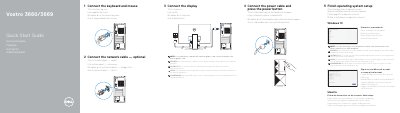

Dell Vostro 3660/3669 Desktop Computer Quick Start Guide - cover page
Brand
DELL
Category
Desktops
Document type
Quick Start Guide
Language
English
Pages
2
File format
PDF
File size
290 KB
Published
25 November, 2023
Updated
25 November, 2023
MD5 checksum
139F9346D0C4BA0C915B4931C8AF8799

About this manual

This Quick Start Guide covers initial setup for the Dell Vostro 3660/3669 desktop computer. It explains how to connect the keyboard and mouse, an optional network cable, the display, and the power cable, then press the power button.

The guide also covers finishing operating system setup for Windows 10 or Ubuntu, connecting to a network, and signing in to a Microsoft account or creating a local account. A labeled feature diagram identifies 18 front-panel parts, and support links are provided.

What's inside

  • Connect the keyboard and mouse
  • Connect the network cable — optional
  • Connect the display
  • Connect the power cable and press the power button
  • Finish operating system setup
  • Connect to your network
  • Sign in to your Microsoft account or create a local account
  • Locate Dell apps in Windows 10
  • SupportAssist
  • Features

Specifications

Optical drivePresent
VGA portPresent
HDMI portPresent
USB 2.0 portsPresent
USB 3.0 portsPresent
Network portPresent

Frequently asked questions

How do I connect the display if the computer has a discrete graphics card?

Connect the display to the discrete graphics card.

Where is the security cable slot on the computer?

It is the 17th item shown on the front panel.

Where can I find Dell product support and manuals?

Visit Dell.com/support, Dell.com/support/manuals, or Dell.com/support/windows.

Download PDF (290 KB)

More DELL Manuals


View all DELL manuals →