
Dell Vostro 15 3000 Series Laptop Quick Start Guide
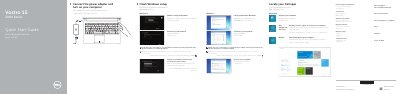
This Quick Start Guide for the Dell Vostro 15 3000 Series laptop covers connecting the power adapter, turning on the computer, finishing Windows setup, connecting to a network, signing in with a Microsoft account or creating a local account, and locating Dell apps. It also covers registering the computer and finding product support and manuals.
The guide lists laptop features including microphones, camera, security-cable slot, power button, optical drive, USB 2.0 and USB 3.0 connectors, headset connector, touchpad, speakers, memory-card reader, VGA connector, network connector, power connector, battery, and Service-Tag label. It also lists shortcut keys and gives the regulatory model P52F, regulatory type P52F001, and computer model Vostro 15-3558.
| Computer model | Vostro 15-3558 |
|---|---|
| Regulatory model | P52F |
| Regulatory type | P52F001 |
The computer model is Vostro 15-3558.
Dell lists dell.com/support for product support and dell.com/support/manuals for manuals.
It can back up, recover, repair, or restore your computer.
Enter the password for the wireless network access when prompted.