
The Dell Vostro 14 5000 Series Quick Start Guide provides information on how to use the notebook.
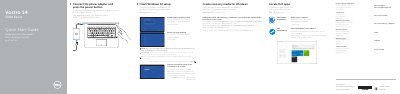
This is Dell's Quick Start Guide for the Vostro 14 5000 Series notebook, listed on the document as computer model Vostro 14-5459. It walks through the first-time setup: connecting the power adapter and pressing the power button, finishing Windows 10 setup, enabling Support and Protection, connecting to a network, and signing in with a Microsoft account or a local account.
The guide also explains how to create recovery media for Windows and where to find Dell apps for product registration and SupportAssist. A labeled features page identifies parts such as the camera, microphones, USB 3.0 and HDMI connectors, SD card reader, fingerprint reader, battery-status light and service-tag label, and a shortcut-key page lists functions such as muting audio, adjusting volume and brightness, and turning the wireless on or off.
| USB ports | USB 3.0 connector; USB 3.0 connector with PowerShare |
|---|---|
| Video port | HDMI connector |
| Card reader | SD card reader |
| Fingerprint reader | Optional |
| Audio | Headset connector; speakers; microphones |
In Windows search, type Recovery, click Create a recovery media, and follow the instructions on the screen.
The document lists the computer model as Vostro 14-5459.
The guide points to the Owner's Manual at dell.com/support/manuals.
When prompted, enter the password for the wireless network access.