
Dell Latitude 7212 Rugged Extreme Tablet Quick Start Guide
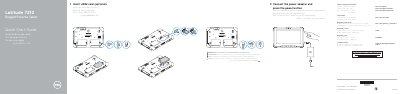
This Dell guide provides quick start instructions for the Latitude 7212 Rugged Extreme Tablet. It shows how to insert an optional uSIM card and connect the power adapter, and it lists product support and regulatory links.
The guide also identifies tablet features, including ports, card readers, buttons, vents, and the battery release. Notes cover keeping QuadCool vents clean and where to find the Rugged Control Center software and related documentation.
| Computer model | Latitude 7212 Rugged Extreme Tablet |
|---|---|
| USB port | USB 3.1 Gen 1 port with PowerShare |
| DisplayPort | DisplayPort with PowerShare over USB Type-C |
| uSIM card slot | uSIM card slot (remove battery to access) |
| Vent | QuadCool intake vent |
| Minimum body distance when transmitter is active | 15 mm (0.59 inches) or greater distance |
Connect the power adapter and press the power button.
The Rugged Control Center software for your Rugged Tablet is available at Dell.com/support.
Keep the QuadCool vents clean and unobstructed for optimal performance.
Keep the tablet’s screen side at 15 mm (0.59 inches) or greater distance from the user’s body.