
Dell Latitude 15 5000 Series E5550/5550 Notebook Quick Start Guide

The Dell Latitude 15 5000 Series Notebook Quick Start Guide.
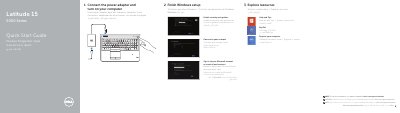

Dell Latitude 15 5000 Series E5550/5550 Notebook Quick Start Guide - cover page
Brand
DELL
Category
Laptops
Document type
Quick Start Guide
Language
English
Pages
2
File format
PDF
File size
215 KB
Published
25 November, 2023
Updated
25 November, 2023
MD5 checksum
0A0EBED2ABBE606DE85178A5959DE7A8

About this manual

This quick start guide helps users set up the Dell Latitude 15 5000 Series E5550/5550 notebook. It covers connecting the power adapter, finishing Windows setup, enabling security and updates, connecting to a network, and signing in to a Microsoft account or creating a local account.

The document lists features such as network, VGA, USB 3.0, HDMI, and power connectors, plus optional smart-card, fingerprint, and dock connectors. It refers users to dell.com/support/manuals for the owner's manual and to dell.com/regulatory_compliance for regulatory and safety information.

What's inside

  • Connect the power adapter and turn on your computer
  • Finish Windows setup
  • Enable security and updates
  • Connect to your network
  • Sign in to your Microsoft account or create a local account
  • Explore resources
  • Features
  • Product support and manuals
  • Regulatory and safety
  • Computer model

Specifications

Computer modelLatitude 15-E5550/5550
Regulatory modelP37F
Regulatory typeP37F001

Frequently asked questions

Where can I find the owner's manual?

See the Owner's Manual at dell.com/support/manuals.

What is the regulatory model?

The regulatory model is P37F.

Download PDF (215 KB)

More DELL Manuals


View all DELL manuals →