
The Dell Vostro 14 5000 Series Quick Start Guide provides information on how to use the notebook.
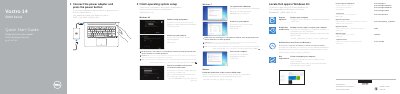
This two-page quick start guide covers the initial setup of the Dell Vostro 14 5000 Series laptop, identified in the document as the Vostro 14-5459. It shows how to connect the power adapter, complete operating system setup for Windows 8.1, Windows 7 or Ubuntu, and locate Dell applications such as Dell Backup and Recovery and Dell SupportAssist.
The second page lists the computer's features and shortcut keys, and explains how to create recovery media for Windows. The same instructions are repeated in French, Turkish and Arabic.
| Computer model | Vostro 14-5459 |
|---|---|
| USB ports | USB 3.0 connectors, one with PowerShare |
| Video output | HDMI connector |
| Memory card reader | SD card reader |
| Fingerprint reader | Optional |
Connect the power adapter and press the power button.
In Windows search, type Recovery, click Create a recovery media, and follow the instructions on the screen.
Enter the password for the wireless network access when prompted.
The document points to the Owner's Manual at dell.com/support/manuals.