
Dell Vostro 14 3000 Series Quick Start Guide

Dell Vostro 14 3000 Series Quick Start Guide
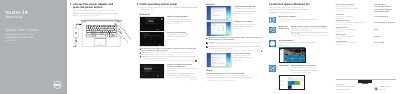

Dell Vostro 14 3000 Series Quick Start Guide - cover page
Brand
DELL
Category
Laptops
Document type
Quick Start Guide
Language
English
Pages
2
File format
PDF
File size
1.3 MB
Published
25 November, 2023
Updated
25 November, 2023
MD5 checksum
F214241ACD9D9CC5D868B6B50AC34AAE

About this manual

This guide helps you set up your Dell Vostro 14-3459 laptop quickly. It covers connecting power, installing Windows, setting up network, and enabling security features. The guide also lists hardware components and shortcut keys for easy navigation.

What's inside

  • Connect Power Adapter
  • Locate Dell Apps
  • Check and Update Computer
  • Register Computer
  • Backup and Recovery
  • Dell Help & Support
  • Connect to Network
  • Sign In or Create Account
  • Set Up Password
  • Protect Computer

Frequently asked questions

How do I connect to a secured wireless network?

Enter the password for the wireless network access when prompted.

How do I set up my Windows password?

Set up password for Windows.

What are the shortcut keys for volume control?

Use 'Decrease volume' and 'Increase volume' to adjust audio levels.

Download PDF (1.3 MB)

More DELL Manuals


View all DELL manuals →