
The Dell Vostro 15 3000 Series Quick Start Guide provides information on how to set up and use your Dell Vostro 15 3000 Series laptop.
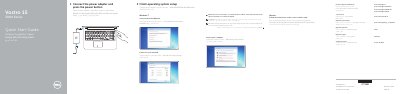
This two-page quick start guide is for the Dell Vostro 15 3000 Series computer, with the computer model listed as Vostro 15-3561. It gives initial setup steps: connect the power adapter, press the power button, finish operating system setup for Ubuntu or Windows 7, set a Windows password, connect to a network, and protect the computer.
It also provides Dell support links, regulatory and safety information with regulatory model P47F and regulatory type P47F007, and a numbered list of computer features and shortcut keys. The text is provided in English, Indonesian, Vietnamese, and Arabic.
| Computer model | Vostro 15-3561 |
|---|---|
| Regulatory model | P47F |
| Regulatory type | P47F007 |
Connect the power adapter and press the power button.
Follow the instructions on the screen to finish setup.
See the Owner’s Manual at Dell.com/support/manuals.
The computer model is Vostro 15-3561.