
Dell Latitude 14 3000 Series Notebook Quick Start Guide

Dell Latitude 14 3000 Series Notebook Quick Start Guide
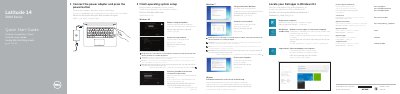

Dell Latitude 14 3000 Series Notebook Quick Start Guide - cover page
Brand
DELL
Category
Laptops
Document type
Quick Start Guide
Language
English
Pages
2
File format
PDF
File size
580 KB
Published
25 November, 2023
Updated
25 November, 2023
MD5 checksum
68E6E67E9D779600F580CF8449D6FD0B

About this manual

This document serves as a multilingual Quick Start Guide for the Dell Latitude 14-3460 Series notebook. It provides step-by-step instructions for initial setup, including connecting the power adapter, configuring the operating system (Windows 8.1), and enabling security updates. The guide is available in multiple languages to assist users worldwide.

What's inside

  • Connect the power adapter
  • Finish operating system setup
  • Enable security and updates
  • Connect to your network
  • Features
  • Camera
  • Microphone
  • Power button
  • Security-cable slot
  • USB connectors

Specifications

Regulatory ModelP63G
Regulatory TypeP63G001
Computer ModelLatitude 14-3460
USB 3.0 Connectors2

Frequently asked questions

What is the regulatory model number for this notebook?

The regulatory model number is P63G.

How many USB 3.0 connectors does this notebook have?

The notebook has two USB 3.0 connectors.

Is a fingerprint reader included on this model?

The fingerprint reader is optional.

Download PDF (580 KB)

More DELL Manuals


View all DELL manuals →