
Inspiron 11 3000 Series Quick Start Guide.
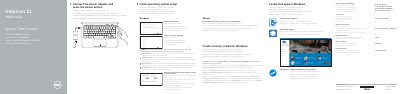
This guide helps you set up your Dell Inspiron 11-3162 laptop. It covers connecting power, finishing OS setup, connecting to Wi-Fi, signing in to Microsoft or creating a local account, and creating recovery media. It also lists the device’s ports and features like microphone, camera, HDMI, USB, and headset ports.
The guide is multilingual, with instructions in Czech, German, Hungarian, Polish, and Slovak, and includes safety and regulatory information for model P24T.
| Computer Model | Inspiron 11-3162 |
|---|---|
| Regulatory Model | P24T |
| Regulatory Type | P24T001 |
Enter the password for the wireless network access when prompted.
In Windows search, type Recovery, click Create a recovery drive, and follow the instructions on the screen.