
The Dell Wyse Cloud Client Wyse 3010 Quick Start Guide provides installation and usage instructions for the device.
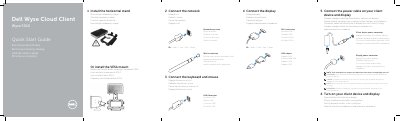
This document serves as a quick start guide for the Dell Wyse 3010 Cloud Client, providing instructions in multiple languages including English, Czech, Polish, Romanian, and Slovak. It details the initial setup process, which involves connecting the keyboard and mouse, attaching the display via DVI-I or VGA, and establishing a network connection either through a network connector or a wireless antenna.
| Network port speed | 10/100/1000 Base-T |
|---|---|
| Power adapter input | +12V DC |
| USB ports | 2 x USB 2.0 |
| Video ports | 1x DVI-D/1x VGA |
| Audio inputs/outputs | Microphone in, Headphone out |
| Card slot | SD card slot |
The client device is ready to use when the client device activity light goes off.
No, the SD card slot is available only on some 3010 devices.
You can find product support and manuals at dell.com/support or dell.com/support/manuals.