
Dell Vostro 14 5000 Series Quick Start Guide

The Dell Vostro 14 5000 Series Quick Start Guide provides information on how to use the notebook.
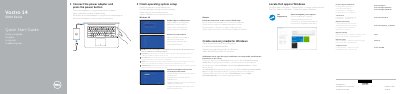

Dell Vostro 14 5000 Series Quick Start Guide - cover page
Brand
DELL
Category
Laptops
Document type
Quick Start Guide
Language
English
Pages
2
File format
PDF
File size
290 KB
Published
25 November, 2023
Updated
25 November, 2023
MD5 checksum
044FDB9C82F5070C2C4FCC42943D2F67

About this manual

This guide helps you set up your Dell Vostro 14-5468 laptop. Connect the power adapter, press the power button, and follow on-screen instructions to complete Windows or Ubuntu setup. Configure your network, sign in to your Microsoft or local account, and create recovery media if needed.

The laptop features a microphone, camera, fingerprint reader, USB 3.0 ports, HDMI port, touchpad, speakers, and service tag label. Use shortcut keys to control volume, brightness, and wireless connectivity.

What's inside

  • Connect Power Adapter
  • Complete OS Setup
  • Connect to Network
  • Sign In to Account
  • Create Recovery Media
  • Features
  • Shortcut Keys

Frequently asked questions

What operating systems are supported by this computer?

This computer supports Windows 10 and Ubuntu.

Download PDF (290 KB)

More DELL Manuals


View all DELL manuals →