
This document is a quick start guide for Dell computers. It introduces how to connect the power adapter, set up the operating system, connect to the network, and enable security and updates.
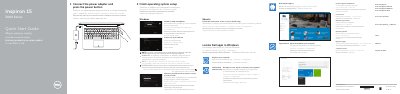
The Dell Inspiron 15-3558 is a computer in the Inspiron 15 3000 Series. This two-page Quick Start Guide shows how to connect the power adapter and turn on the computer, finish operating system setup, enable security and updates, connect to a network, and sign in with a Microsoft account or a local account. It also points to Dell apps such as SupportAssist, Dell Backup and Recovery, and Dell Help & Support, and lists product support and contact links.
Page 2 presents the computer's features and shortcut keys, including ports, camera and microphone locations, battery and service labels, and Fn-key functions. Regulatory model P47F, regulatory type P47F001, and computer model Inspiron 15-3558 are stated.
| Computer model | Inspiron 15-3558 |
|---|---|
| Regulatory model | P47F |
| Regulatory type | P47F001 |
| USB 2.0 ports | 2 |
Enter the password for the wireless network access when prompted.
Use SupportAssist to check and update your computer.
Product support and manuals are available at Dell.com/support/manuals.
Follow the instructions on the screen to finish setup.