
Dell OptiPlex 3050 Micro Desktop Quick Start Guide
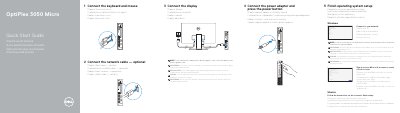
This quick start guide helps set up the Dell OptiPlex 3050 Micro desktop by connecting the keyboard, mouse, optional network cable, display, and power adapter, then finishing operating system setup.
It also identifies the computer's features and ports, describes locating Dell apps and SupportAssist, and provides product support, manual, and regulatory information.
Connect the display to the discrete graphics card.
Follow the instructions on the screen to finish setup.
Enter the password for the wireless network access when prompted.
Visit Dell.com/support and Dell.com/support/manuals.