
The Dell OptiPlex 7450 All-in-One Quick Start Guide provides information on how to set up and use the Dell OptiPlex 7450 All-in-One.
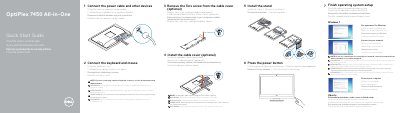
This guide helps you set up your Dell OptiPlex 7450 All-in-One computer quickly. It includes steps for connecting power, peripherals, and networking. It also lists all ports and features, such as camera, microphone, USB ports, and display options.
The guide supports multiple languages and provides optional steps like installing a cable cover or setting a Windows password. It also includes regulatory and safety information and directs users to Dell’s support resources.
Connect the keyboard and mouse using the provided cables. If using wireless devices, refer to their documentation.
Available ports include DisplayPort, HDMI-out, USB 3.0, HDMI-in (optional), USB 2.0, network, power, audio, and more.
Enter the wireless network password when prompted during setup.