
Quick Start Guide for Dell Inspiron 7547 and Inspiron 7548 laptops.
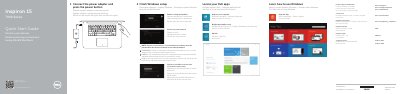
This Dell Quick Start Guide covers initial setup steps for the Inspiron 7547 and Inspiron 7548 computers, including finishing Windows setup, locating Dell apps, connecting the power adapter, registering the computer, and connecting to a network. It also lists the computer features, such as the camera, microphones, ports, media-card reader, security-cable slot, and status lights.
The guide includes a labeled feature diagram and a table of keyboard shortcut keys for audio, media playback, display switching, brightness, wireless, and system functions. It directs readers to dell.com/support for specifications and product support and manuals.
| Computer models | Inspiron 7547, Inspiron 7548 |
|---|---|
| Regulatory type | P41F001 |
| Series | Inspiron 15 7000 Series |
| USB ports | 2 x USB 3.0, 1 x USB 2.0 |
| Video port | HDMI port |
| Card reader | Media-card reader |
| Document date | 2014-10 |
Connect the power adapter and press the power button.
Finish Windows setup, locate your Dell apps, and connect the power adapter before pressing the power button.
Connect to your network and, if it is a secured wireless network, enter the password when prompted.
See Specifications at dell.com/support.