
The Dell Storage NX430 Network Attached Storage is a high-performance, scalable storage solution designed for small and medium-sized businesses. It offers up to 480TB of raw capacity and supports a variety of RAID levels to meet your specific needs. The NX430 also comes with a variety of built-in features, such as snapshots, replication, and encryption, to help you protect your data and ensure its availability.
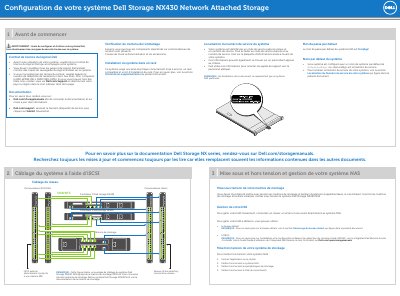
This short setup guide covers pre-installation checks, rack and power requirements, iSCSI wiring, power-on and power-off sequences, local and remote management, default credentials, and initial configuration of a Dell Storage NX430 NAS running Windows Storage Server 2012.
It also explains remote desktop startup, Dell OpenManage Server Administrator access, and lists related Dell Storage NX series documentation. This manual is written in French.
| Default NAS password | Stor@ge! |
|---|---|
| Default system name | D |
| Dell OpenManage Server Administrator secure port | 1311 |
The default password is Stor@ge!.
The default system name is D
Connect to secure port 1311 of the NAS, for example https://D
Pull the information tag at the front of the system; it may also be on a sticker on the chassis.