
Dell Storage NX430 System Getting Started Guide Quick Resource Locator Dell.com/QRL/Storage/NX430
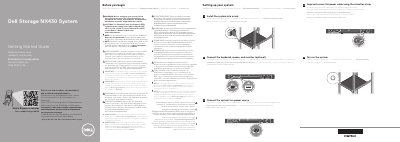
The Dell Storage NX430 System Getting Started Guide is a short multilingual setup document for the NX430 storage system. It walks through rack installation, optional keyboard/mouse/monitor connection, power connection, securing the power cable with the retention strap, and turning on the system.
The guide also includes safety and EPP power supply cautions, notes on default Windows Storage Server 2016 or 2012 R2 installation, regulatory model E34S Series/E34S001, and technical specifications such as the 350 W Platinum PSU, 100–240 V AC input, CR2032 battery, and 35°C maximum operating ambient temperature.
| Power rating per power supply unit | 350 W (Platinum) |
|---|---|
| Intended use | 100–240 V AC |
| Inrush current (max) | 4.8 A–2.4 A |
| System battery | 3 V CR2032 lithium coin cell |
| Maximum operation ambient temperature | 35°C (95°F) |
| Validated high-temperature operation | Certain configurations up to 45°C (113°F) |
Follow the safety instructions included in the Safety, Environmental, and Regulatory Information document shipped with the system.
Use Extended Power Performance (EPP) compliant power supply units indicated by the EPP label.
Windows Storage Server 2016 or 2012 R2 is installed on the system at the Dell factory by default.
The maximum operating ambient temperature is 35°C (95°F). Certain server configurations are validated for temperatures as high as 45°C (113°F).