
The Dell Precision Tower 7810 Quick Start Guide provides information on how to set up and use the Dell Precision Tower 7810 workstation.
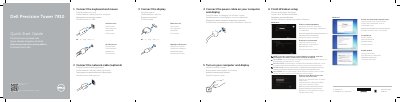
This Quick Start Guide for the Dell Precision Tower 7810 describes the initial setup steps, including connecting the keyboard and mouse, connecting the network cable, connecting the display, connecting power cables, and turning on the computer and display. It also covers finishing Windows setup, enabling security and updates, connecting to a network, and signing in to a Microsoft account or creating a local account.
The guide includes a labeled view of the front and rear panel connectors and features, along with links for product support, manuals, regulatory and safety information, and Dell applications for Windows 8.
| Computer model | Dell Precision Tower 7810 |
|---|---|
| Regulatory model | D01T |
| Regulatory type | D01T005 |
| USB connectors | USB 3.0 and USB 2.0 |
| Display connectors | DVI and DisplayPort |
| Keyboard and mouse connectors | USB or PS/2 |
| Operating system setup | Windows 8 or Windows 7 |
Connect them using either the USB connector or the PS/2 connector.
The display can be connected with a DVI connector or a DisplayPort connector.
No. The network cable connection is optional, and a secured wireless network password is entered when prompted.
Finish Windows setup, enable security and updates, connect to your network, and sign in to a Microsoft account or create a local account.