
Dell XPS 13 Quick Start Guide

Quick Start Guide for Dell XPS 13 laptop.
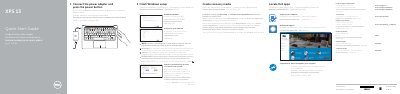

Dell XPS 13 Quick Start Guide - cover page
Brand
DELL
Category
Laptops
Document type
Quick Start Guide
Language
English
Pages
2
File format
PDF
File size
642 KB
Published
25 November, 2023
Updated
25 November, 2023
Model
XPS 13
MD5 checksum
72EF37F096A7B9EB3CEDC9A3D08CC3EF

About this manual

This document serves as a Quick Start Guide for the Dell XPS 13 laptop. It provides multilingual instructions for initial setup, including connecting the power adapter, registering the computer, and completing the Windows setup process. It also directs users to Dell's support website for updates and further assistance.

What's inside

  • Connect the power adapter
  • Register your computer
  • Finish Windows setup
  • Enable Dell updates
  • Connect to your network
  • Sign in to your Microsoft account
  • Features
  • Shortcut keys

Frequently asked questions

What should I do to start the computer?

Connect the power adapter and press the power button.

What should I enter when connecting to a secured wireless network?

Enter the password for the wireless network access when prompted.

How do I create recovery media in Windows?

In Windows search, type Recovery, click Create a recovery media, and follow the instructions on the screen.

What should I do after connecting to my network?

Sign in to your Microsoft account or create a local account.

Download PDF (642 KB)

More DELL Manuals


View all DELL manuals →