
The document describes how to set up a Dell computer.
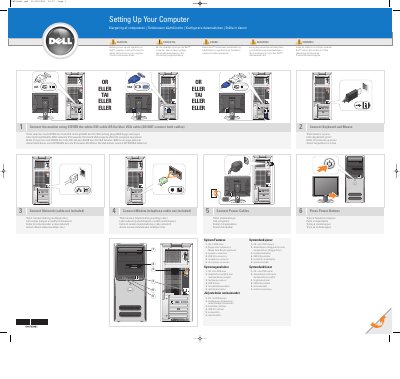
This Dell setup guide provides a step-by-step sequence for connecting a desktop computer, including the monitor, keyboard and mouse, network, modem, and power cables. It also lists the system features and front-panel connectors.
The guide covers optional wireless network equipment and Media Center setup, including the optional remote control, sensor, batteries, and TV tuner card. It directs readers to the Owner's Manual and Help and Support for additional information.
| Optical drive | CD or DVD drive |
|---|---|
| Removable media | Floppy drive (optional) or Media Card Reader (optional) |
| USB version | USB 2.0 |
| Monitor connection | White DVI cable or blue VGA cable, not both |
| Document date | June 2006 |
Use either the white DVI cable or the blue VGA cable, but do not connect both cables.
No. The network cable and telephone cable for the modem are not included.
Read and follow the safety instructions in the computer Product Information Guide.
See the Owner's Manual, which can also be viewed online from the Owner's Manual icon on the desktop.