
Dell computer user manual summary: The model of the Dell computer is W06C, the input voltage is 100 to 240 volts AC, the input frequency is 50 hertz/60 hertz, and the rated output current is 3.6 amps.
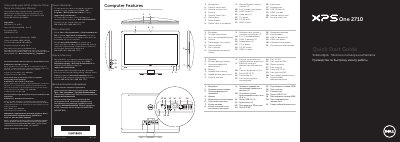
This is the multilingual quick start guide for the Dell XPS One 2710 computer (regulatory model W06C, type W06C001). It starts with Mexican NOM importer and electrical input information, then lists where to find more information and how to contact Dell.
The rest of the guide walks through setting up the computer: identifying the features and ports, connecting the power cable, setting up the wireless keyboard and mouse, pressing the power button and completing Windows setup. It also has spaces to record the Windows password and the Service Tag, a note about contacting support, and regulatory/trademark statements.
| Regulatory model | W06C |
|---|---|
| Type | W06C001 |
| Computer model | XPS One 2710 |
| Input voltage | 100 to 240 VAC |
| Input frequency | 50 Hz / 60 Hz |
| Rated output current | 3.6 A |
| USB 3.0 ports | USB 3.0 ports (2) and USB 3.0 ports (4) |
| Media-card reader | 8-in-1 media-card reader |
| Video ports | HDMI-in port and HDMI-out port |
Connect the power cable, set up the wireless keyboard and mouse, press the power button, and then complete the Windows setup.
The listed input is 100 to 240 VAC at 50 Hz/60 Hz, with a rated output current of 3.6 A.
The guide has a space to write your Windows password and notes that you should not use the @ symbol in it.
Locate your Service Tag and write it in the space provided in the guide.