
The Dell OptiPlex 7040 Mini Tower Quick Start Guide provides information on how to set up and use the Dell OptiPlex 7040 Mini Tower.
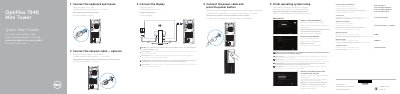
The Dell OptiPlex 7040 Mini Tower Quick Start Guide shows how to connect the keyboard, mouse, network cable, power cable, and display. It also covers finishing operating system setup, connecting to a network, signing in to a Microsoft account or creating a local account, and setting a Windows password.
The guide lists the computer features, including the power button and power light, optical-drive bay, USB 2.0 and USB 3.0 connectors, HDMI and DisplayPort connectors, memory card reader, audio connectors, serial connector, PS2 connectors, expansion-card slots, power connector, diagnostic button and light, cable-cover lock slot, release latch, VGA connector, network connector, security-cable slot, and padlock ring. It also mentions Dell apps such as Register My Device, Dell Backup and Recovery, Dell Data Protection | Protected Workspace, and Dell SupportAssist.
| Computer model | OptiPlex 7040 MT |
|---|---|
| Regulatory model | D18M |
| Regulatory type | D18M001 |
Follow the instructions on the screen to finish setup.
Enter the password for the wireless network access when prompted.
Connect the display to the discrete graphics card.
The guide lists the computer model as OptiPlex 7040 MT.