
The Dell Precision 5520 Quick Start Guide provides information on how to use the Dell Precision 5520 laptop.
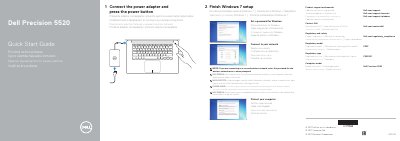
The Dell Precision 5520 quick start guide gives the first steps for setting up the computer. It shows how to connect the power adapter and press the power button, finish the Windows 7 setup, set a password for Windows, connect to a network, and protect the computer.
It also lists Dell support, contact, and regulatory compliance web addresses, and provides a labeled diagram of the computer's features: power button, Kensington security slot, battery status button and lights, USB 3.0 ports with PowerShare, memory card reader, touchpad, headset port, Thunderbolt 3 port, HDMI port, power connector, camera and camera status light, speakers, microphones, power status light, and service tag label.
| Computer model | Dell Precision 5520 |
|---|---|
| Regulatory model | P56F |
| Regulatory type | P56F001 |
| USB ports | USB 3.0 port with PowerShare |
| Other ports | Thunderbolt 3 port, HDMI port, headset port, memory card reader |
| Security slot | Kensington security slot |
Connect the power adapter and press the power button.
Set a password for Windows and connect to your network.
Enter the password for the wireless network access when prompted.
Dell lists Dell.com/support and Dell.com/support/manuals for product support and manuals.