
OptiPlex 7050 Tower Quick Start Guide
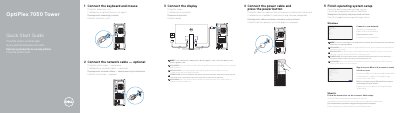
This is Dell's quick start guide for the OptiPlex 7050 Tower computer. It walks through the first setup steps in numbered order: connect the keyboard and mouse, connect the network cable if needed, connect the display, connect the power cable and press the power button, then finish operating system setup for Windows or Ubuntu.
The guide also lists where to find Dell apps such as SupportAssist, numbers the features and ports of the tower, and gives support, regulatory and safety links. Instructions are repeated in English, Croatian, Hungarian, Russian and Serbian.
| Computer model | OptiPlex 7050 Tower |
|---|---|
| Regulatory model | D18M |
| Regulatory type | D18M003 |
| External bay | 5.25-inch external bay |
| USB port | USB 3.0 Type-C port |
Connect the display to the discrete graphics card instead of the onboard connector.
Enter the password for the wireless network access when prompted.
Manuals are available at Dell.com/support/manuals, with support at Dell.com/support.
The regulatory model is D18M and the regulatory type is D18M003.