
The Dell 660s desktop computer user manual introduces the various components and functions of the computer.
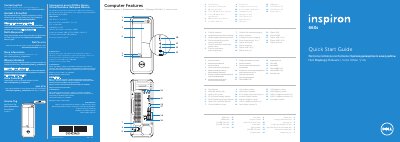
This Quick Start Guide covers the Dell Inspiron 660s desktop computer, describing its front and rear panel features such as the power button, hard-drive activity light, optical-drive bay, media-card reader, audio and USB ports, VGA and HDMI ports, and network port.
It provides setup instructions for connecting the keyboard, mouse, network cable, power cable, and display, completing Windows setup, enabling security, and using Windows 8 features such as the Charms sidebar and Start screen tiles.
| Regulatory model | D06S |
|---|---|
| Type | D06S001 |
| Computer model | Inspiron 660s |
The computer model is Inspiron 660s.
Go to dell.com/ContactDell.
Connect the display to the connector on the discrete graphics card.
Scroll to access more tiles.