
This document is a quick start guide for HP laptop. It introduces how to use the basic functions of the laptop, including how to turn on/off the power, how to adjust the volume, how to connect to the internet, etc.
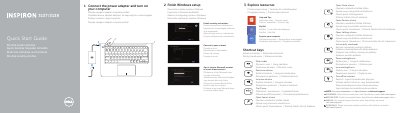
This Quick Start Guide describes the setup steps and controls for the Dell Inspiron 3137/3138 laptop. It covers connecting the power adapter, completing Windows setup, signing in to a Microsoft account or creating a local account, connecting to a network, and using shortcut keys.
The guide also lists the laptop features, including a camera, digital microphones, network port, USB 2.0 and USB 3.0 ports, media-card reader, headset port, HDMI port, and power-adapter port, along with support and regulatory information.
| Computer model | Inspiron 3137/3138 |
|---|---|
| Regulatory model and type | P19T P19T001/P19T003 |
| USB ports | USB 2.0 and USB 3.0 |
| Video port | HDMI port |
| Network connection | Network port |
| Media-card reader | Media-card reader |
| Digital microphones | 2 |
| Printed in | China |
Connect the power adapter and turn on your computer, then finish Windows setup.
Enable security and updates, then sign in to your Microsoft account or create a local account.
Specifications are available at dell.com/support.
Support and manuals are available at dell.com/support and dell.com/support/manuals.